A subdomain is an additional part of your primary domain. For example, blog.example.com is a subdomain. Please, follow this tutorial to create a subdomain in DirectAdmin.
1. Log in to your DirectAdmin Account.
2. In the Account Manager section, click on Subdomain Management. Alternatively, type Subdomain Management in the search bar, and the option will appear. Click on it.
3. Click on Add Subdomain. You will find it on the top right.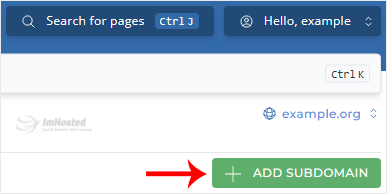
4. Under Subdomain, enter the Subdomain name you want to create. Leave all other options as they are.
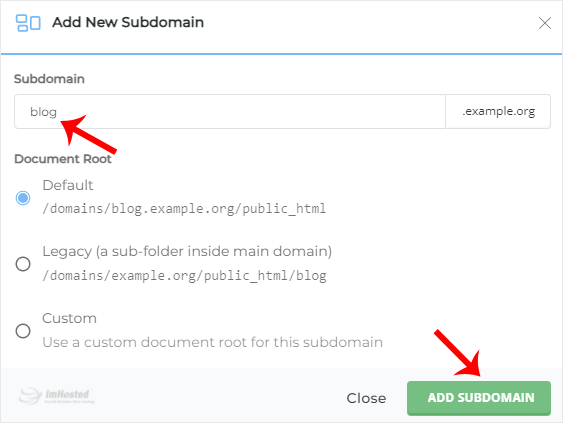
5. Click on Add Subdomain.
You should see a success message that the subdomain has been created.