1. Log in to your cPanel account.
2. In the Advanced section, click on Cron Jobs.
3. Under Add New Cron Job, click on the Common Settings drop-down menu and select an appropriate option such as Once Per Day or another suitable option.
4. Enter the location of your cron job PHP file or the command you want to run in the Command field.
5. Click on Add New Cron Job. 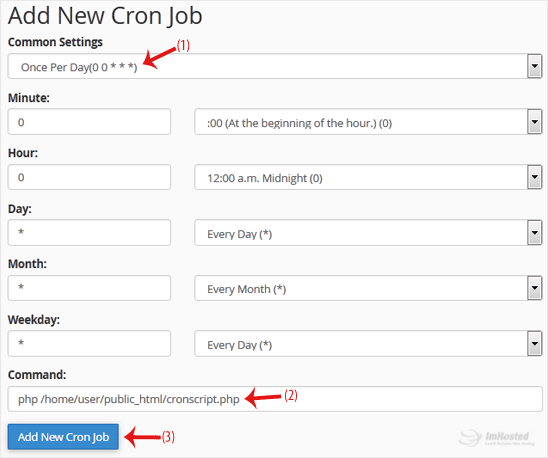
We hope this tutorial is helpful to you.