You can delete a database in cPanel. Make sure to take a backup before deleting it because once the database is deleted, it cannot be recovered without a backup.
1. Log in to your cPanel account.
2. In the Databases section, click on Manage My Databases.
3. Under Current Databases, you can see a list of all your databases. Locate the database you want to remove and click on Delete.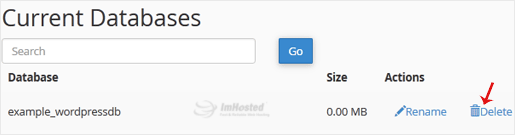
4. Click on Delete Database.
So, by following this tutorial, you have learned how to delete a database in cPanel.